Hi all !
This my first “short” article in english, and I’m very exitected to share with you. The goal of this article is to introduce common network commands “ping, nslookup” but in PowerShell !
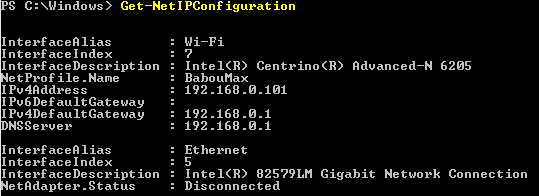
Ipconfig | Get-NetIPConfiguration or Get-NetIPAddress
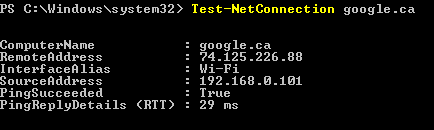
Ping | Test-NetConnection zigmax.net
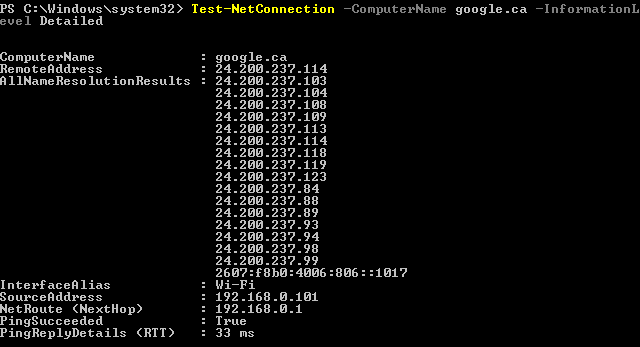
With detailed: Test-NetConnection -ComputerName zigmax.net -InformationLevel Detailed
Nslookup | Resolve-DnsName zigmax.net

Route print | Get-NetRoute -Protocol Local -DestinationPrefix 192.168*

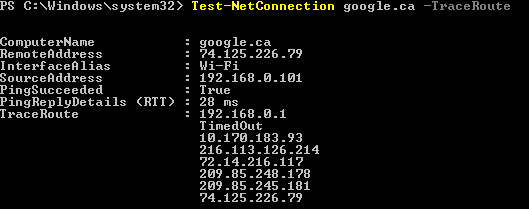
Traceroute | Test-NetConnection zigmax.net –TraceRoute
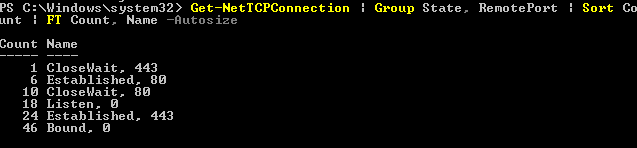
Netstat | Get-NetTCPConnection | Group State, RemotePort | Sort Count | FT Count, Name -Autosize
Do not hesitate to share your comments with us!
Bye.